
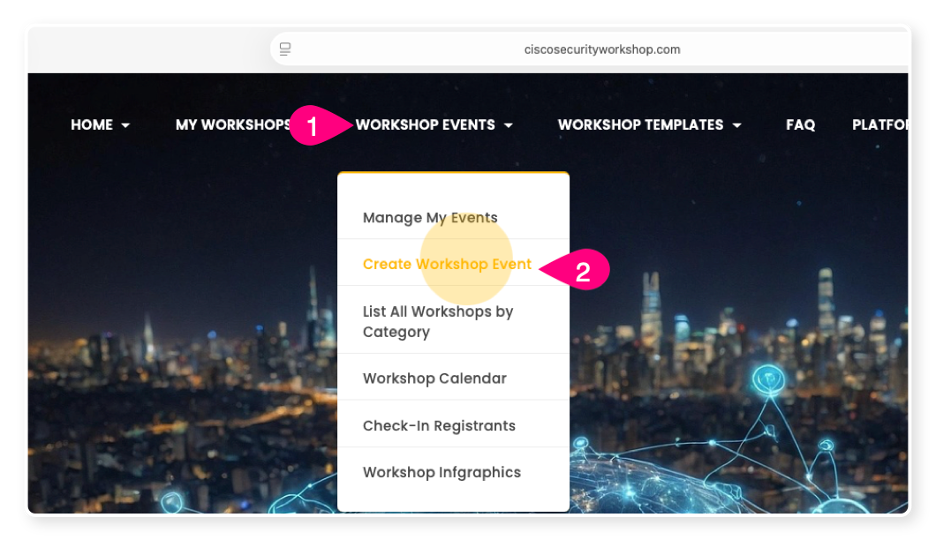
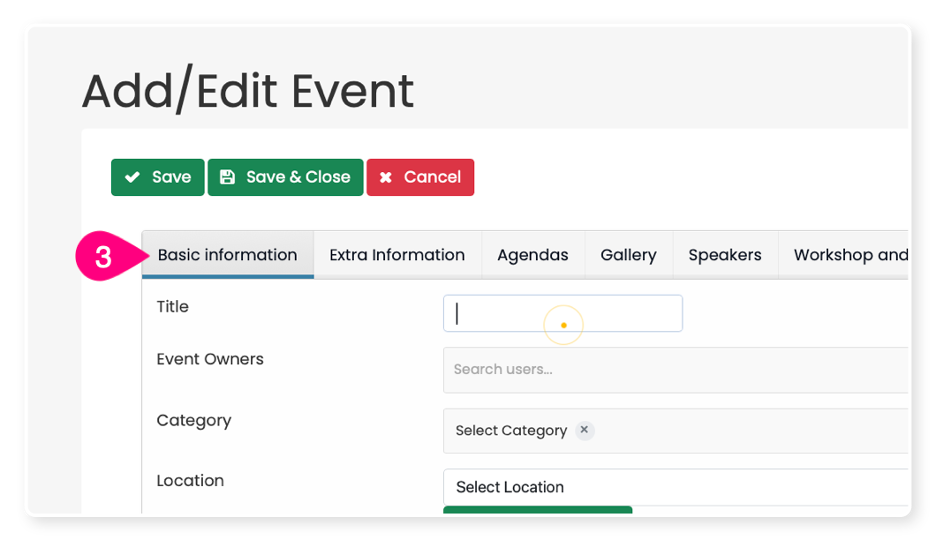
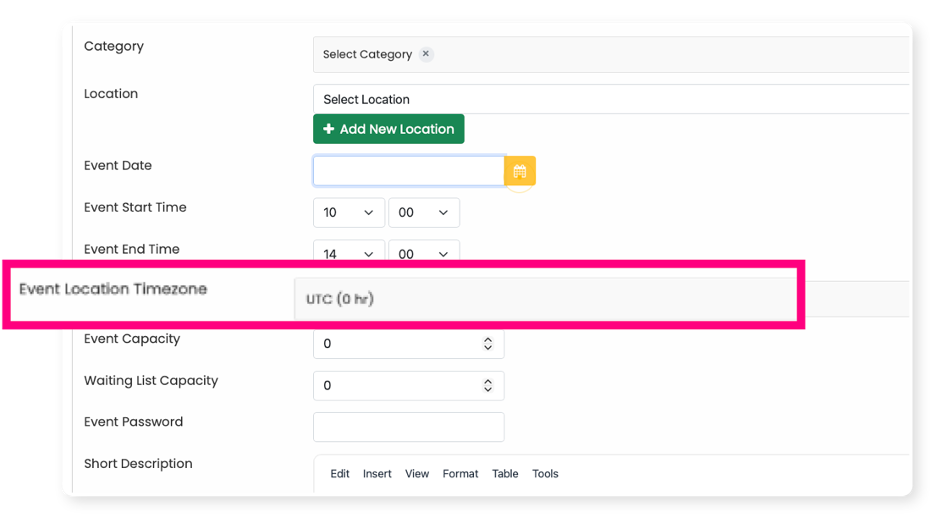
You can now select your timezone when creating your event. Make sure to choose the timezone where your event will take place, which might be different from your location if you're in a different area.
Other Related FAQs:
- Who Can Proctor Workshop Events?
- How Do I Create a Workshop Event?
- How Do I Check-In Attendees to My Workshop Event?
- How to Sign Up for Workshops Yourself [Enrollment Keys]
- Will the Template Replace My Description?
- How Do I Invite Customers to My Workshop Event?
- Why Do I Need to Give a Presentation?
- Can I Change the Proctor for My Workshop Event?
- How Do I See Who Participated In My Workshop?
- Can We Have More Than One Proctor for Our Workshop?
- Can I Create a Private Event or Set Permissions on My Event?
- How Long Will It Take to Get Confirmation of My Workshop Event?
- How to Qualify as a Proctor
- What Is a Proctor and What Do They Do?
- What Happens to People on the Waitlist When My Event Is Full?
- How Can I Get Permission to Lead the Train the Trainer Sessions?
- How Can I Encourage Attendee Survey Completion?